
If you’ve ever wondered how an AI model learns the difference between a tumor and “just a shadow,” or a pedestrian and a mailbox, here’s the unglamorous truth:
It’s not magic. It’s labeled data.
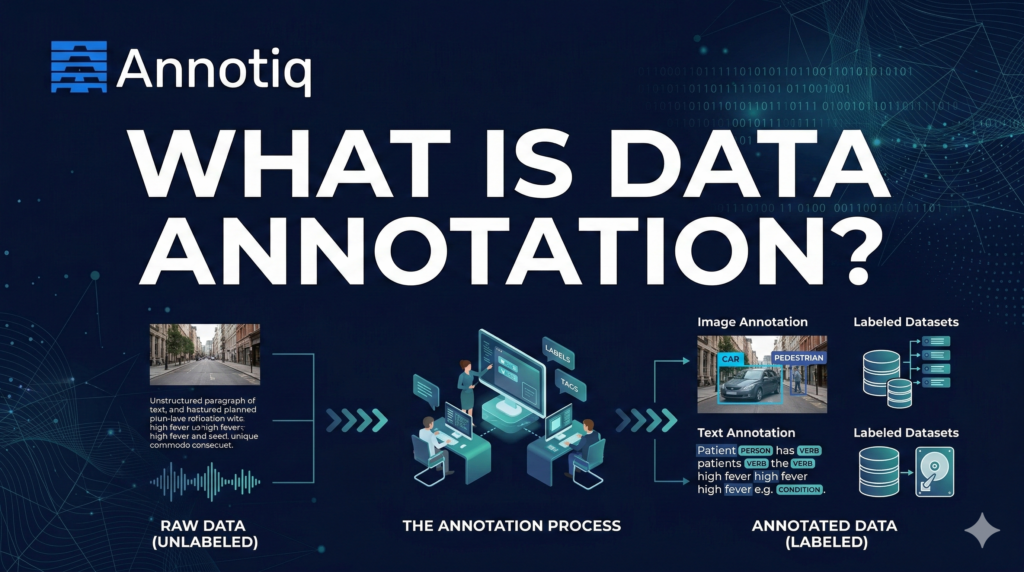
Data annotation is the process of adding labels to raw data so machine learning models can learn from it.
Those labels can be categories, bounding boxes, polygons, text spans, timestamps, ratings, or preference rankings.
Most enterprise data is unstructured, including documents, emails, images, audio, video, and logs. Many industry estimates put unstructured data at 80% to 90% of enterprise data, which is one reason AI teams spend so much time turning raw data into training-ready datasets
This article explains what data annotation is, why it matters, the main annotation types, common workflows, quality controls, cost drivers, and what to look for in an annotation partner.
Table of Contents
Data annotation in one sentence
Data annotation turns raw data into labeled examples that machine learning models can learn from.
If the model is the brain, annotation is the childhood education phase.
Why data annotation matters
A model’s performance is limited by the quality and consistency of its training data. Annotation is where teams decide:
- What “correct” means (label definitions and edge cases)
- What the model should ignore (noise, irrelevant classes)
- How confident we are (agreement, review, sampling plans)
- Whether the dataset reflects reality (bias, missing populations, rare events)
Bad labels don’t just lower accuracy. They create models that are confidently wrong. Which is the worst kind of wrong.
Data labeling vs. data annotation: are they different?
In practice, people use them interchangeably.
Data labeling usually refers to simpler tasks such as assigning a category to an item.
Data annotation is broader. It includes structured markup such as:
- bounding boxes
- segmentation masks
- named entities in text
- timestamps in audio
- preference rankings for LLM outputs
Same family. Different levels of effort (and invoices).
Types of data annotation
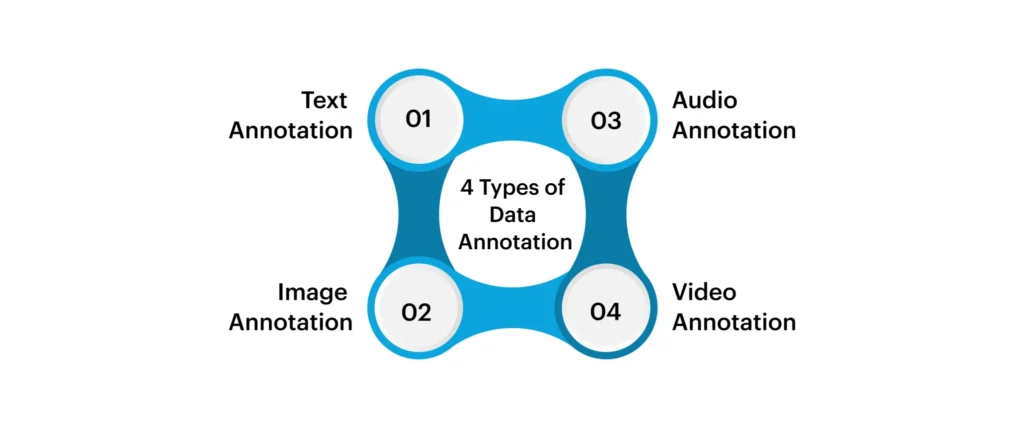
1) Image annotation

Image annotation powers computer vision, anything that needs a machine to “see.”
Used in:
- Healthcare imaging (X-ray, CT, ultrasound)
- Retail shelf monitoring
- Robotics
- Quality inspection in manufacturing
- Autonomous systems
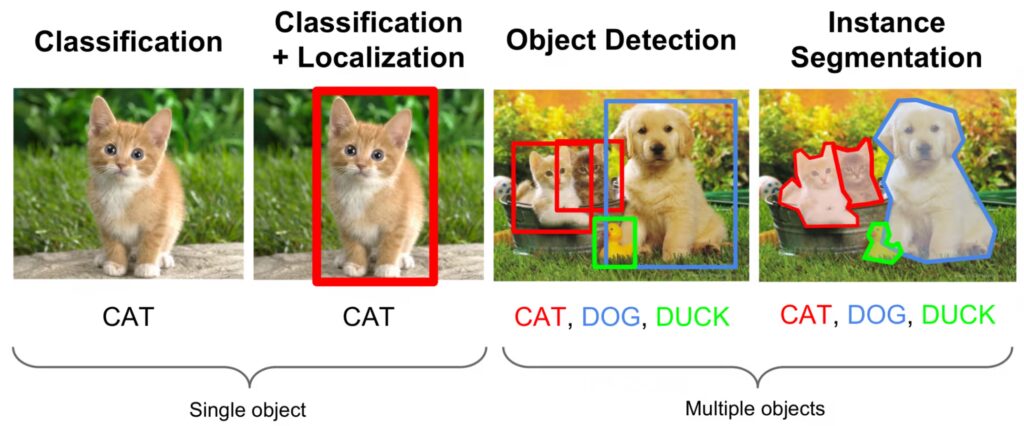
A) Image classification (tagging)
What it is: Apply one (or many) labels to the entire image.
Examples:
- “contains tumor” vs “no tumor”
- “product present” vs “out of stock”
- “damaged” vs “not damaged”
Pros: fast and cheap
Cons: doesn’t tell the model where the object is
B) Object detection (bounding boxes)
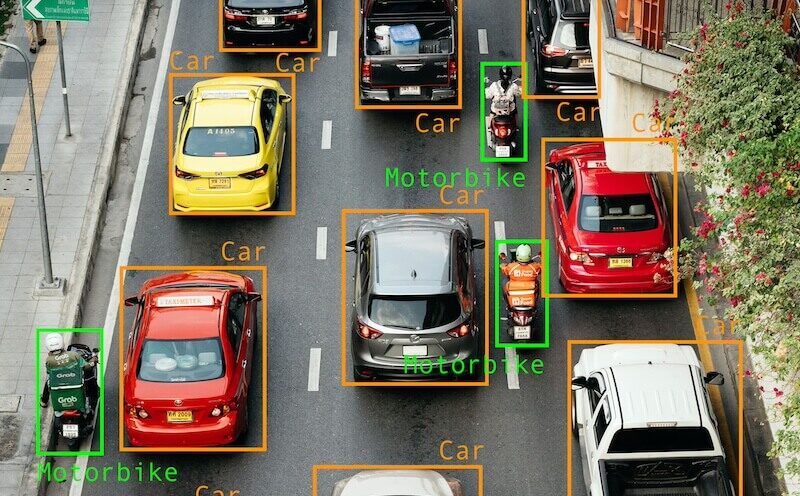
What it is: Draw rectangles around objects + assign a label.
Examples:
- “car”, “pedestrian”, “traffic light”
- “lesion”, “nodule”
- “SKU”, “logo”, “barcode”
Pros: strong baseline for many tasks
Cons: boxes are not precise for irregular shapes
C) Instance segmentation (polygons / masks)
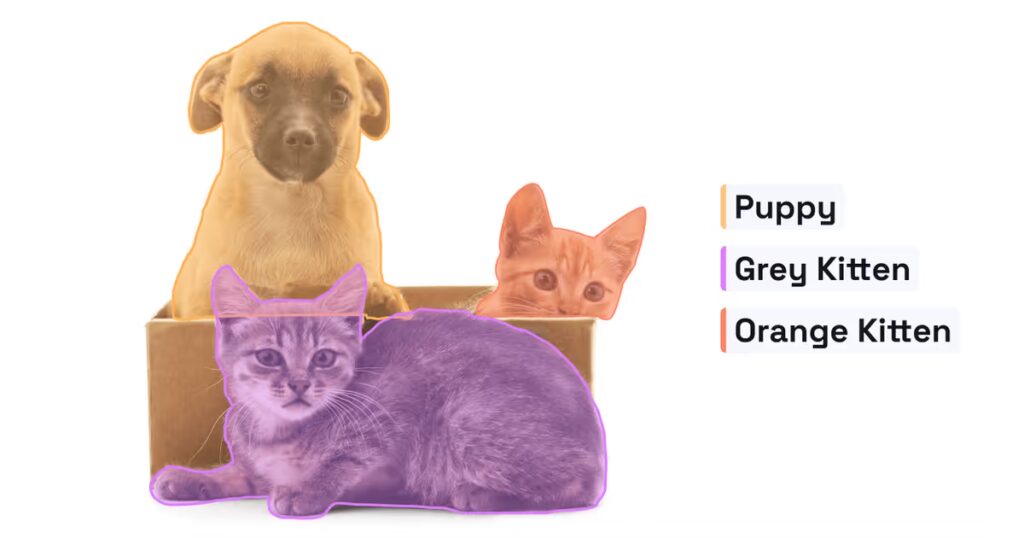
What it is: Outline each object precisely, so each instance is separated.
Example: Detect and outline each tumor region separately.
Typical tools: polygon annotation, brush masks, AI-assisted segmentation
Pros: high precision; better for measurement and complex shapes
Cons: slower and more expensive
D) Semantic segmentation (pixel-level class labeling)
What it is: Every pixel gets a class label.
Example: In autonomous driving:
- road pixels
- sidewalk pixels
- lane marking pixels
- pedestrian pixels
Pros: extremely useful for “scene understanding”
Cons: labor-intensive; guidelines must be extremely clear
E) Keypoints (pose estimation)
What it is: Place points on anatomical landmarks or joints.
Examples:
- shoulders, elbows, wrists, hips, knees
- facial landmarks (eyes, nose, mouth corners)
Use cases:
- motion analysis (sports, rehab)
- ergonomics
- human-robot interaction
F) OCR labeling (text in images)
What it is: Mark text regions so a model learns to extract or recognize text.
Common labels:
- bounding boxes around text lines/words
- transcription of the text content
- reading order
Used for invoices, IDs, medical forms, packaging, signage.
G) Panoptic segmentation
What it is: Combines semantic + instance segmentation.
- “stuff” classes (road, sky)
- “thing” classes (cars, people) as separate instances
Best for: complex real-world scenes.
2) Video annotation
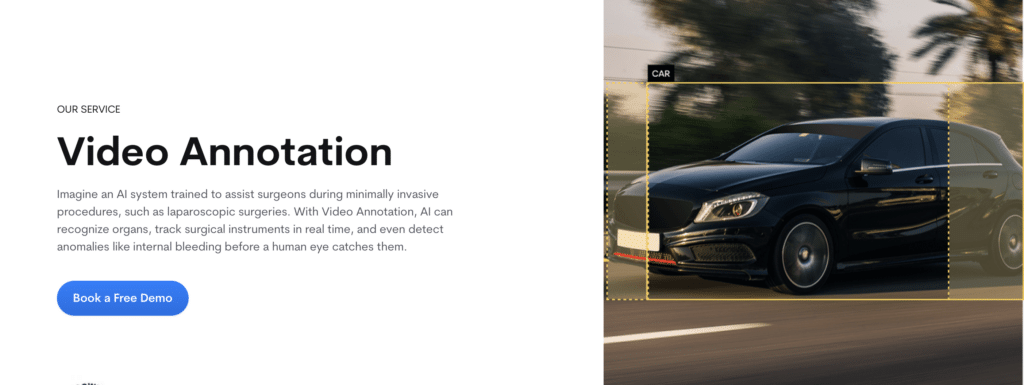
Video annotation is image annotation… plus time
Used in:
- autonomous driving and robotics perception
- sports analytics
- security / surveillance
- retail footfall analytics
- activity recognition in healthcare/elder care
A) Video classification
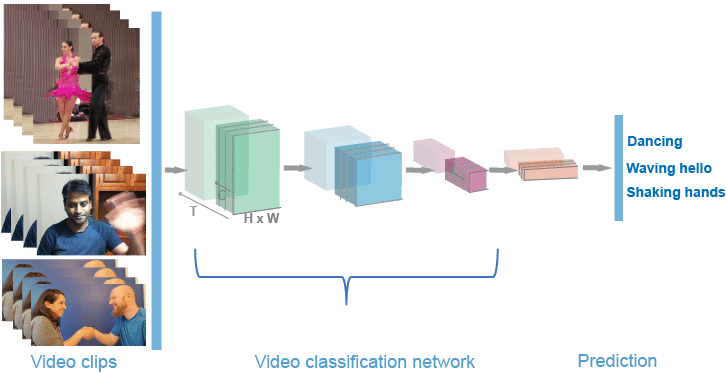
What it is: Label the whole clip.
Examples:
- “fall detected”
- “unsafe behavior”
- “goal scored”
B) Object tracking (boxes or masks over time)
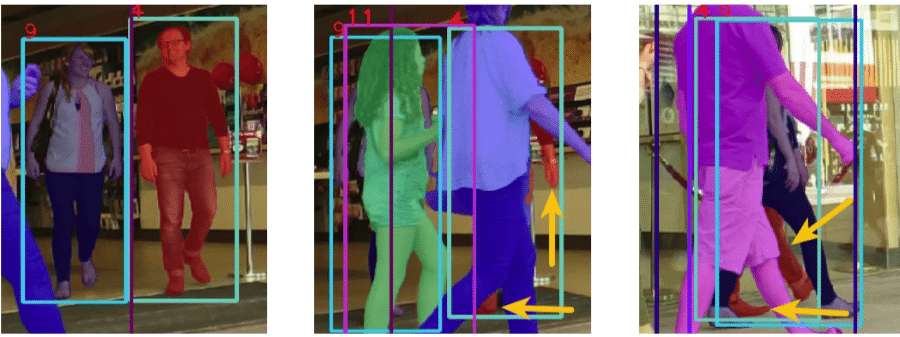
What it is: Identify an object once and track it across frames.
Common outputs:
- bounding box per frame + tracking ID
- mask per frame + tracking ID
Key feature: interpolation (auto-filling in-between frames)
C) Action and event annotation
What it is: Label timestamps when something happens.
Examples:
- start/end of a fall
- “lift begins” → “lift ends”
- “hand touches surface” events in manufacturing
Why it’s hard: edge cases. Humans disagree on when “the action” starts.
D) Video captioning
What it is: Natural language descriptions of what happens in the clip.
Used for: search, accessibility, video understanding models.
3) Text annotation
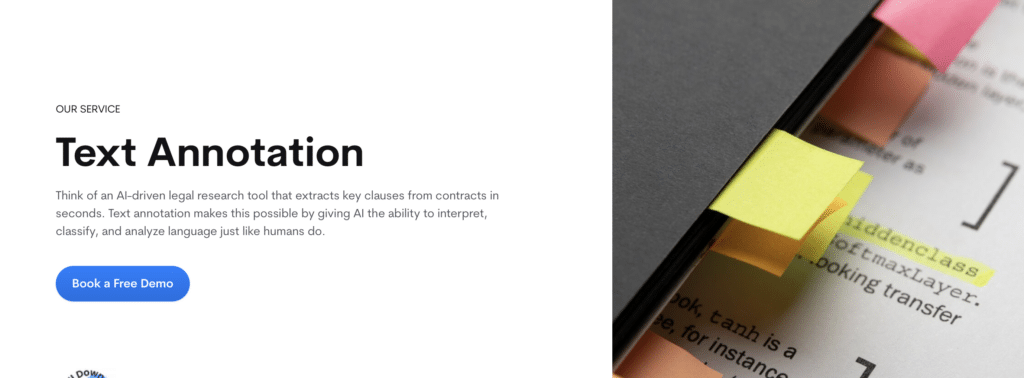
Text annotation makes language machine-readable.
Used in:
- customer support automation
- clinical NLP and medical coding support
- document processing
- search and recommendations
- moderation and trust & safety
A) Text classification
Label a document/message with categories.
Examples:
- sentiment: positive/neutral/negative
- intent: “refund request” / “booking request”
- topic: “billing” / “technical issue”
B) Named Entity Recognition (NER)
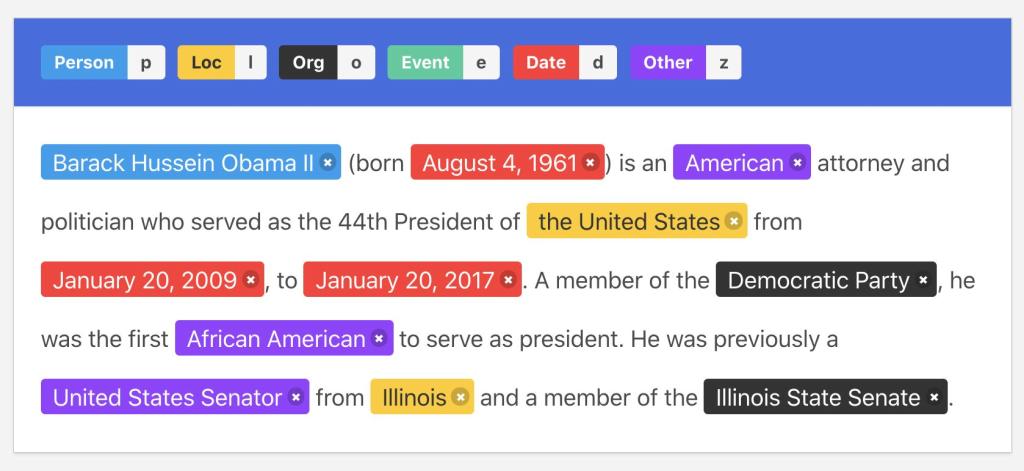
NER highlights spans of text and labels them.
Common entity types:
- person, organization, location
- medication, dosage, diagnosis, procedure
- product, SKU, price
C) Relationship annotation
Label connections between entities.
Examples:
- medication → dosage
- symptom → duration
- person → role (doctor/patient)
D) Coreference annotation
Mark phrases that refer to the same thing.
Example:
“Dr. Smith… she…” → “she” refers to “Dr. Smith”
E) Document layout annotation (forms, PDFs)
This is big in healthcare and finance.
Labels include:
- headers/footers
- tables
- key-value fields
- signature blocks
- “diagnosis section” vs “medications section”
4) Audio annotation
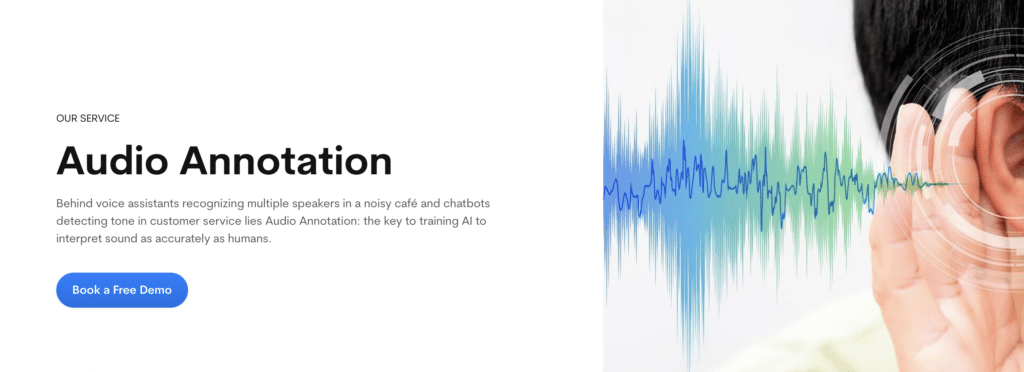
Audio annotation is how machines learn to understand sound.
Used in:
- voice assistants
- call center analytics
- medical dictation
- safety monitoring
- media indexing
A) Transcription
Convert speech to text.
Variants:
- verbatim (“um”, “uh” included)
- clean read (filler removed)
- timestamped transcripts
- multi-speaker transcripts
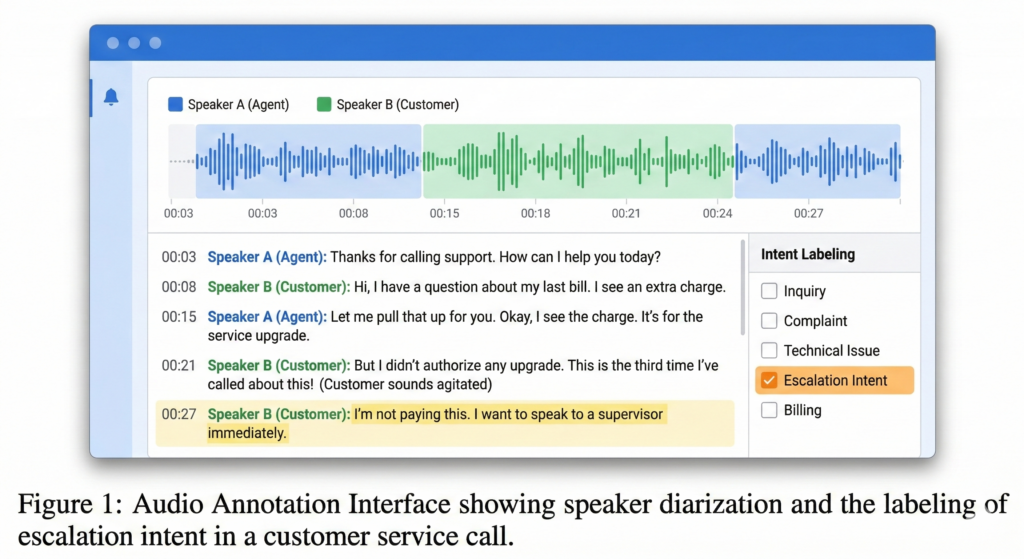
B) Speaker diarization labeling
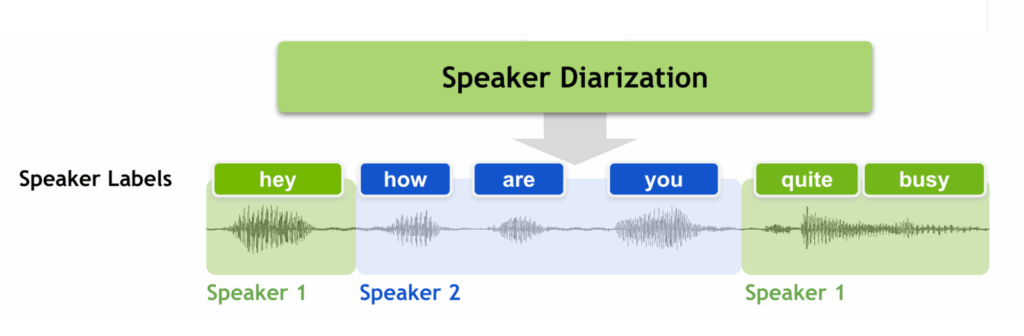
Who spoke when.
Labels:
- Speaker A, Speaker B segments
- overlapping speech markers
C) Audio event labeling
Label sound events in time:
- alarm
- glass breaking
- coughing
- machine fault noise
D) Emotion / sentiment labeling (careful!)
Used in call centers, but:
- highly subjective
- culturally biased
- needs strong rubric and privacy safeguards
5) LiDAR and 3D annotation
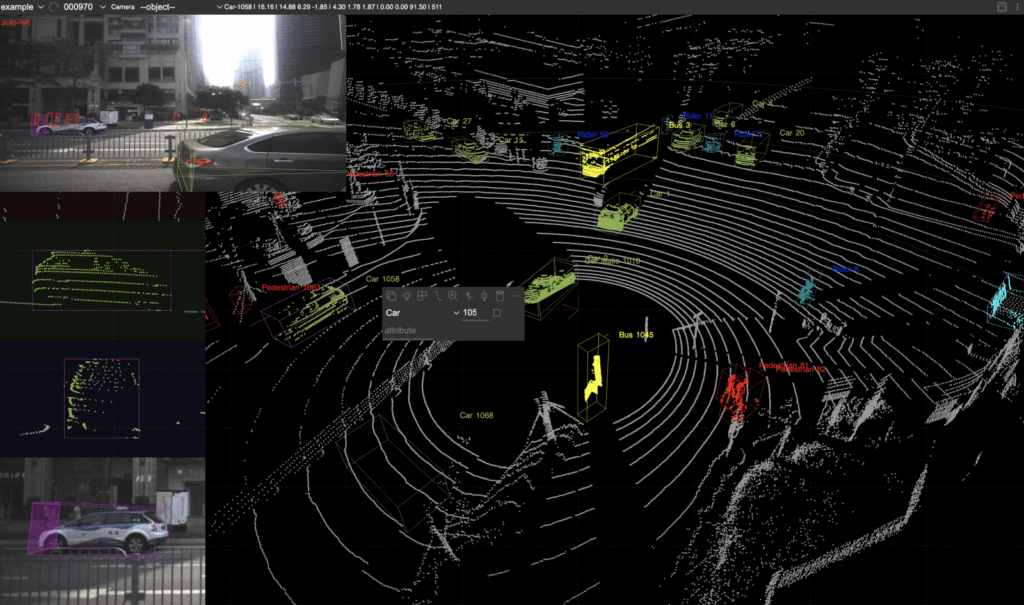
LiDAR is 3D point clouds, often fused with cameras and radar.
Used in:
- autonomous vehicles
- drones
- robotics navigation
- industrial mapping
A) 3D bounding boxes (cuboids)
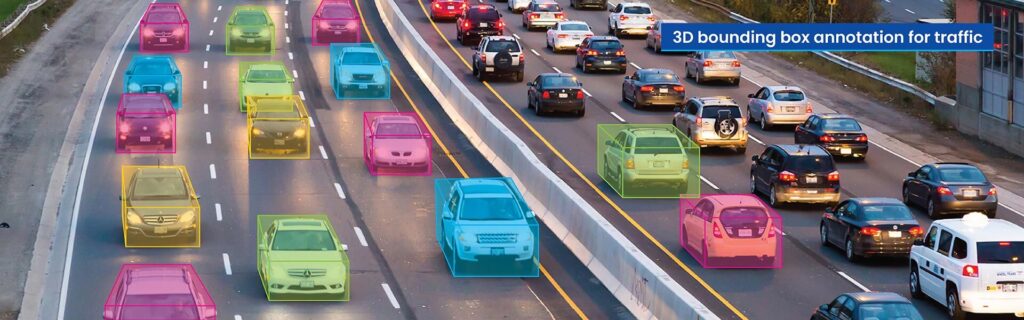
Draw 3D boxes around objects in the point cloud.
Labels:
- car, pedestrian, cyclist
- pallet, forklift, shelf edge
B) Point cloud segmentation
Assign labels to points (or clusters).
Examples:
- road surface
- vegetation
- building
- obstacle
C) Tracking in 3D
Track objects through time (like video tracking, but 3D).
D) Sensor fusion annotation
Align camera + LiDAR + radar:
- ensures the same object is labeled consistently across modalities
Data annotation examples
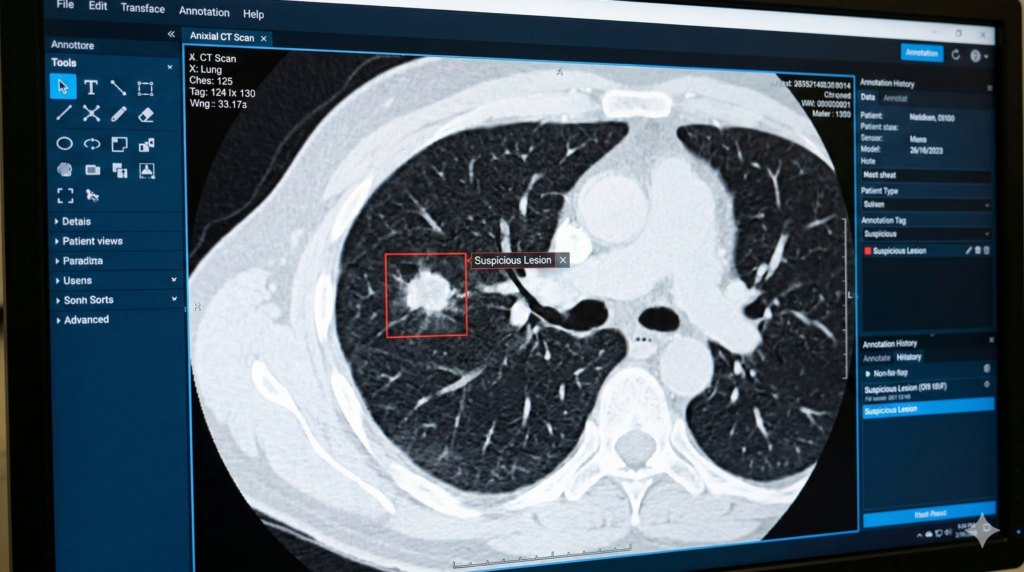
Image annotation example
A medical image is labeled with a bounding box around a lung nodule and tagged as suspicious lesion.
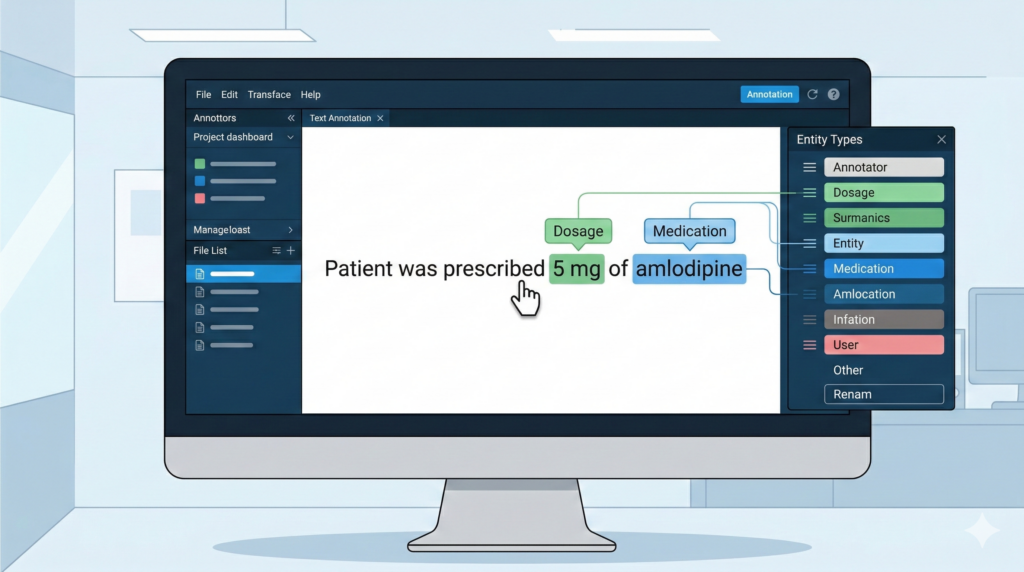
Text annotation example
In the sentence “Patient was prescribed 5 mg of amlodipine,” the labeler marks “amlodipine” as Medication and “5 mg” as Dosage.
Audio annotation example
A call recording is transcribed, split by speaker, and labeled for escalation intent.
LLM annotation example
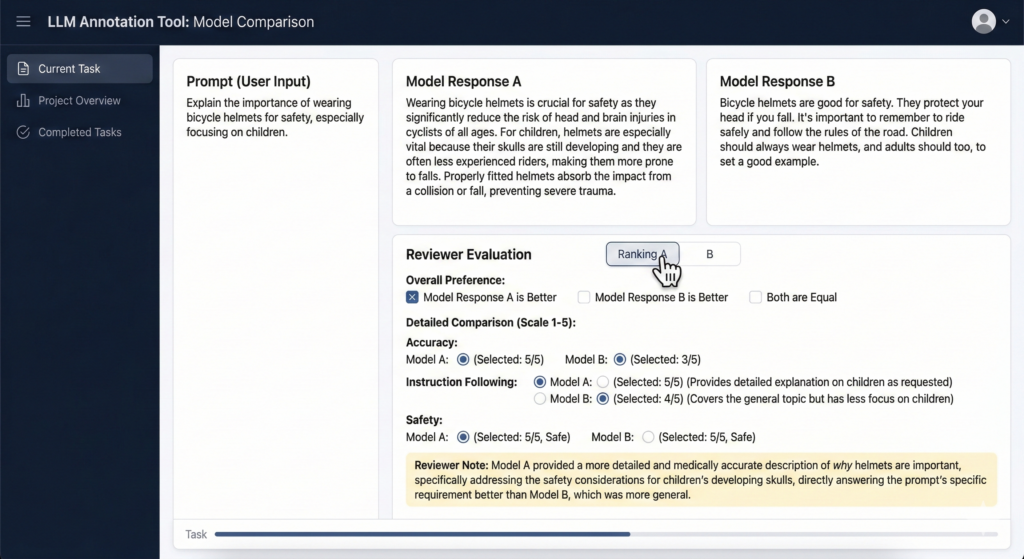
Two model answers to the same prompt are compared. The reviewer picks the one that is more accurate, safer, and follows the instruction better.
Choosing the right annotation type
Pick the simplest annotation method that still supports the model goal.
A practical rule:
- Need to know if something is present: Classification
- Need to know where it is: Bounding boxes
- Need exact shape or measurement: Segmentation
- Need movement across time: Tracking
- Need meaning in language: NER or Relationship annotation
- Need to shape model behavior: Preference ranking and Rubric scoring
The data annotation workflow
A solid annotation pipeline usually follows five steps.
- Define the model goal
What task will the model perform, and what decision will depend on it? - Create the labeling taxonomy
Define the labels, exclusions, examples, and edge cases. - Write annotation guidelines
This document should explain how labelers should handle normal cases and difficult cases. - Annotate with the right tools
The tooling should match the data type and support review workflows. - Run QA and iterate
Use spot checks, gold sets, disagreement review, and targeted audits. Then update the guidelines when edge cases show up.
What “high-quality annotation” actually means
High-quality annotation is not “we labeled a lot of things.”
It’s:
- Accuracy (labels match the guideline)
- Consistency (two annotators don’t produce two realities)
- Coverage (enough examples of rare but important cases)
- Traceability (you can audit decisions and guideline versions)
- Fitness for purpose (labels align with the real deployment scenario)
What drives data annotation cost?
- Annotation type: classification < boxes < segmentation < 3D < LLM safety
- Edge cases and ambiguity: more disagreement = more review time
- QA depth: single-pass vs double-pass vs expert adjudication
- Turnaround time: faster timelines raise staffing cost
- Tooling + data security: access controls, redaction, audit logging
- Dataset condition: messy data costs more (low resolution, noise, inconsistent formats)
In simple terms, image classification costs less than segmentation, and basic transcription costs less than expert-reviewed medical or legal annotation.
Common challenges (and how to avoid them)
Inconsistent labels
Fix with: tighter guidelines, better examples, calibration sessions, and structured review.
Hidden bias
Fix with: representative sampling, subgroup checks, and explicit fairness review—especially in healthcare and people-centered datasets.
Privacy and compliance
Fix with: de-identification/redaction workflows, access controls, and a “minimum necessary” mindset for sensitive data.
“We’ll just automate labeling”
Automation helps, but it still needs human QA. AI-assisted labeling is great at speed. Humans are still great at “Wait, that’s not a cat, that’s a croissant.”
How to choose a data annotation partner
If you plan to outsource, assess vendors on process, not marketing language.
Look for:
- Clear guideline design
- Experience with your data type
- Measurable QA process
- Ability to handle edge cases
- Secure data handling
- Traceability and auditability
- Realistic turnaround planning
- Communication quality
Ask practical questions:
- How do you measure quality?
- How do you handle disagreement?
- What gets reviewed and by whom?
- How do you update guidelines during production?
- How do you protect sensitive data?
How Annotiq approaches data annotation
At Annotiq, we focus on process discipline and measurable quality.
Our approach includes:
- Guideline creation with examples, definitions, and edge-case handling
- Calibration rounds before production
- Human review workflows matched to task difficulty
- Sampled QA and adjudication for disagreement cases
- Support across text, image, audio, video, document, and multimodal tasks
- Privacy-aware workflows for sensitive datasets
For complex work, the goal is not just throughput. The goal is data you can trust.
FAQ
1. What is data annotation?
Data annotation is the process of adding labels or metadata to raw data so machine learning systems can learn from it.
What are the main types of data annotation?
The main types are image, video, text, audio, LiDAR or 3D, and LLM annotation.
3. Why is data annotation important?
Because many AI systems depend on labeled examples. Weak labels produce weak models.
4. How do you measure annotation quality?
Through guideline compliance, review workflows, gold sets, disagreement checks, and sampled audits.
4. How much does data annotation cost?
Cost depends on annotation type, difficulty, QA depth, expertise required, data security requirements, and turnaround time.
5. Should you build an in-house team or outsource?
In-house teams give more direct control. Outsourcing can be faster and more cost-effective if the vendor has a strong process and quality system.
Final thought
Data annotation is the step that turns raw data into usable training data.
If that step is weak, model quality suffers.
If that step is done well, teams move faster, make better use of their data, and reduce model failure in production.
If you want to review scope and acceptance criteria before starting, you can book a call with our team.
If you want to test our workflow on a small dataset first, request a pilot.
If you already know your use case, contact Annotiq to discuss your annotation requirements.